> ## Documentation Index
> Fetch the complete documentation index at: https://docs.memoryo.dev/llms.txt
> Use this file to discover all available pages before exploring further.
# Memory Passport
> How MemoryOS lets a user create one identity and control what each AI agent can access.
Memory Passport is the user-controlled identity layer in MemoryOS. One person signs in with email and OTP, maintains a universal memory identity, and decides which agents can access which categories of their memory.
It's a privacy layer as much as a memory layer. Agents don't automatically share user data — the user has to explicitly approve each one.
 ## Core objects
**Universal user** — created when someone registers or signs in through the consent app. MemoryOS maintains an agent-facing `uui_...` token for backend SDK calls. End users interact through the consent app via email + OTP, not raw tokens.
**Global agent** — an agent profile that can request Memory Passport access. Each has a public profile, a verification status, default requested categories, and an `agent_sk_...` API key for universal memory APIs.
Create one with:
```http theme={null}
POST /v1/agents/global
Authorization: ApiKey mem_...
```
Returns `id` (public, safe for consent URLs) and `raw_agent_api_key` (one-time secret, store server-side immediately).
**Permission grant** — connects a user to an agent with a specific set of allowed categories, an access mode (`read_only` or `read_write`), and an optional expiry.
**Connector** - links a user's account in another service to their Memory Passport. Connectors are useful when a company wants to prove "this Passport belongs to this signed-in customer" before sharing account-specific context.
There are two connector paths:
* **OAuth connector** - the user starts from MemoryOS Passport, authenticates with the service, and returns to MemoryOS.
* **Secure-link connector** - the user starts inside the company's app, clicks **Connect Memory Passport**, and the company's backend creates a one-time MemoryOS link for that signed-in user.
Consent URLs and connectors solve different problems:
| Flow | Purpose |
| ----------- | ------------------------------------------------------------- |
| Consent URL | Lets an AI agent request access to Passport memory categories |
| Connector | Links an external service account to the user's Passport |
## Core objects
**Universal user** — created when someone registers or signs in through the consent app. MemoryOS maintains an agent-facing `uui_...` token for backend SDK calls. End users interact through the consent app via email + OTP, not raw tokens.
**Global agent** — an agent profile that can request Memory Passport access. Each has a public profile, a verification status, default requested categories, and an `agent_sk_...` API key for universal memory APIs.
Create one with:
```http theme={null}
POST /v1/agents/global
Authorization: ApiKey mem_...
```
Returns `id` (public, safe for consent URLs) and `raw_agent_api_key` (one-time secret, store server-side immediately).
**Permission grant** — connects a user to an agent with a specific set of allowed categories, an access mode (`read_only` or `read_write`), and an optional expiry.
**Connector** - links a user's account in another service to their Memory Passport. Connectors are useful when a company wants to prove "this Passport belongs to this signed-in customer" before sharing account-specific context.
There are two connector paths:
* **OAuth connector** - the user starts from MemoryOS Passport, authenticates with the service, and returns to MemoryOS.
* **Secure-link connector** - the user starts inside the company's app, clicks **Connect Memory Passport**, and the company's backend creates a one-time MemoryOS link for that signed-in user.
Consent URLs and connectors solve different problems:
| Flow | Purpose |
| ----------- | ------------------------------------------------------------- |
| Consent URL | Lets an AI agent request access to Passport memory categories |
| Connector | Links an external service account to the user's Passport |
 ## Category-scoped sharing
Grants are category-scoped. A user can approve `preference` and `expertise` while withholding `goal`, `relationship`, `fact`, and `procedure`. The agent only sees what was explicitly approved.
Current categories: `preference`, `fact`, `goal`, `procedure`, `relationship`, `expertise`
## Auth model
Universal memory calls require both headers:
```http theme={null}
Authorization: ApiKey agent_sk_...
X-MemoryOS-UUI: uui_...
```
`agent_sk_...` identifies the agent. `uui_...` identifies the user. MemoryOS verifies an active grant exists for that pair and that the requested category is in `categories_allowed`.
## Grant lifecycle
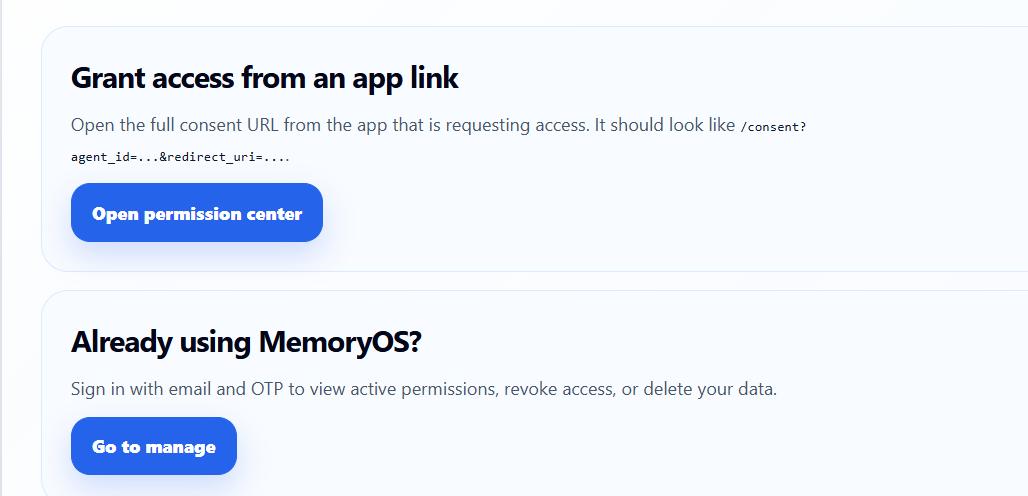
1. App introduces MemoryOS and sends the user to a consent URL
2. User authenticates via email + OTP (or resumes an active session)
3. User approves categories, access mode, and duration
4. Agent can read or write within the grant scope
5. User can revoke at any time from the permission center
6. Revocation removes future access — no data leaks on denial
## Connector lifecycle
For a secure-link connector:
1. User signs in to the company's app
2. User clicks **Connect Memory Passport**
3. Company backend calls `/v1/tenant/memory-passport/link-token`
4. App redirects the user to `/connect?agent_id=...&link_token=...`
5. MemoryOS verifies the one-time link and creates the connection
6. User can disconnect the service from Passport later
The company should not manually create links for each user. The app backend generates them automatically for the signed-in user.
## Pending Questions
The permission center has a **Pending Questions** tab. This surfaces only personal conflicts MemoryOS routes back to the user — not all conflicts, just ones the user needs to resolve themselves.
| Conflict | Where it goes |
| --------------------------------------------------- | ----------------------- |
| Student exam date changed from March 10 to March 15 | Pending Questions |
| User changed preferred explanation language | Pending Questions |
| Two admins disagree on institution curriculum | Tenant dashboard review |
| Workspace policy conflict | Tenant dashboard review |
When the user answers:
* **Choose one version** — the other is archived
* **Both are correct** — both memories remain active
* **Neither is correct** — clarification closed, neither confirmed
## Privacy guarantees
* An agent cannot see which other agents were granted access
* Revoked grants return empty results, not errors
* Deleted Memory Passport removes all universal memories and active grants
* Universal memories are stored separately from tenant-scoped memory
## Related pages
* [Cross-agent memory sharing](/guides/cross-agent-sharing)
* [Python SDK](/sdk/python)
* [Authentication](/authentication)
## Category-scoped sharing
Grants are category-scoped. A user can approve `preference` and `expertise` while withholding `goal`, `relationship`, `fact`, and `procedure`. The agent only sees what was explicitly approved.
Current categories: `preference`, `fact`, `goal`, `procedure`, `relationship`, `expertise`
## Auth model
Universal memory calls require both headers:
```http theme={null}
Authorization: ApiKey agent_sk_...
X-MemoryOS-UUI: uui_...
```
`agent_sk_...` identifies the agent. `uui_...` identifies the user. MemoryOS verifies an active grant exists for that pair and that the requested category is in `categories_allowed`.
## Grant lifecycle
1. App introduces MemoryOS and sends the user to a consent URL
2. User authenticates via email + OTP (or resumes an active session)
3. User approves categories, access mode, and duration
4. Agent can read or write within the grant scope
5. User can revoke at any time from the permission center
6. Revocation removes future access — no data leaks on denial
## Connector lifecycle
For a secure-link connector:
1. User signs in to the company's app
2. User clicks **Connect Memory Passport**
3. Company backend calls `/v1/tenant/memory-passport/link-token`
4. App redirects the user to `/connect?agent_id=...&link_token=...`
5. MemoryOS verifies the one-time link and creates the connection
6. User can disconnect the service from Passport later
The company should not manually create links for each user. The app backend generates them automatically for the signed-in user.
## Pending Questions
The permission center has a **Pending Questions** tab. This surfaces only personal conflicts MemoryOS routes back to the user — not all conflicts, just ones the user needs to resolve themselves.
| Conflict | Where it goes |
| --------------------------------------------------- | ----------------------- |
| Student exam date changed from March 10 to March 15 | Pending Questions |
| User changed preferred explanation language | Pending Questions |
| Two admins disagree on institution curriculum | Tenant dashboard review |
| Workspace policy conflict | Tenant dashboard review |
When the user answers:
* **Choose one version** — the other is archived
* **Both are correct** — both memories remain active
* **Neither is correct** — clarification closed, neither confirmed
## Privacy guarantees
* An agent cannot see which other agents were granted access
* Revoked grants return empty results, not errors
* Deleted Memory Passport removes all universal memories and active grants
* Universal memories are stored separately from tenant-scoped memory
## Related pages
* [Cross-agent memory sharing](/guides/cross-agent-sharing)
* [Python SDK](/sdk/python)
* [Authentication](/authentication)